
How it works · Step 5 of 5
Manage the season
Once the draw is complete, the club app becomes the everyday home for your competition. Fixtures, conversations, results and progress stay together.
What happens in this step
Arrange and play matches
Players or captains find their fixtures and coordinate matches. When communication is enabled, club chat and private fixture conversations help keep arrangements alongside the competition.
Review scores and follow progress
Submit frame or rack scores using the configured match format. Organisers review results before they become official. Approved league results feed tables and player form; knockout results advance the bracket.
Keep the club history
After closing a competition, return to its read-only archive to revisit the recorded winner, results and saved rules. League records preserve final tables and form. Practice and drills remain a separate part of player progress.
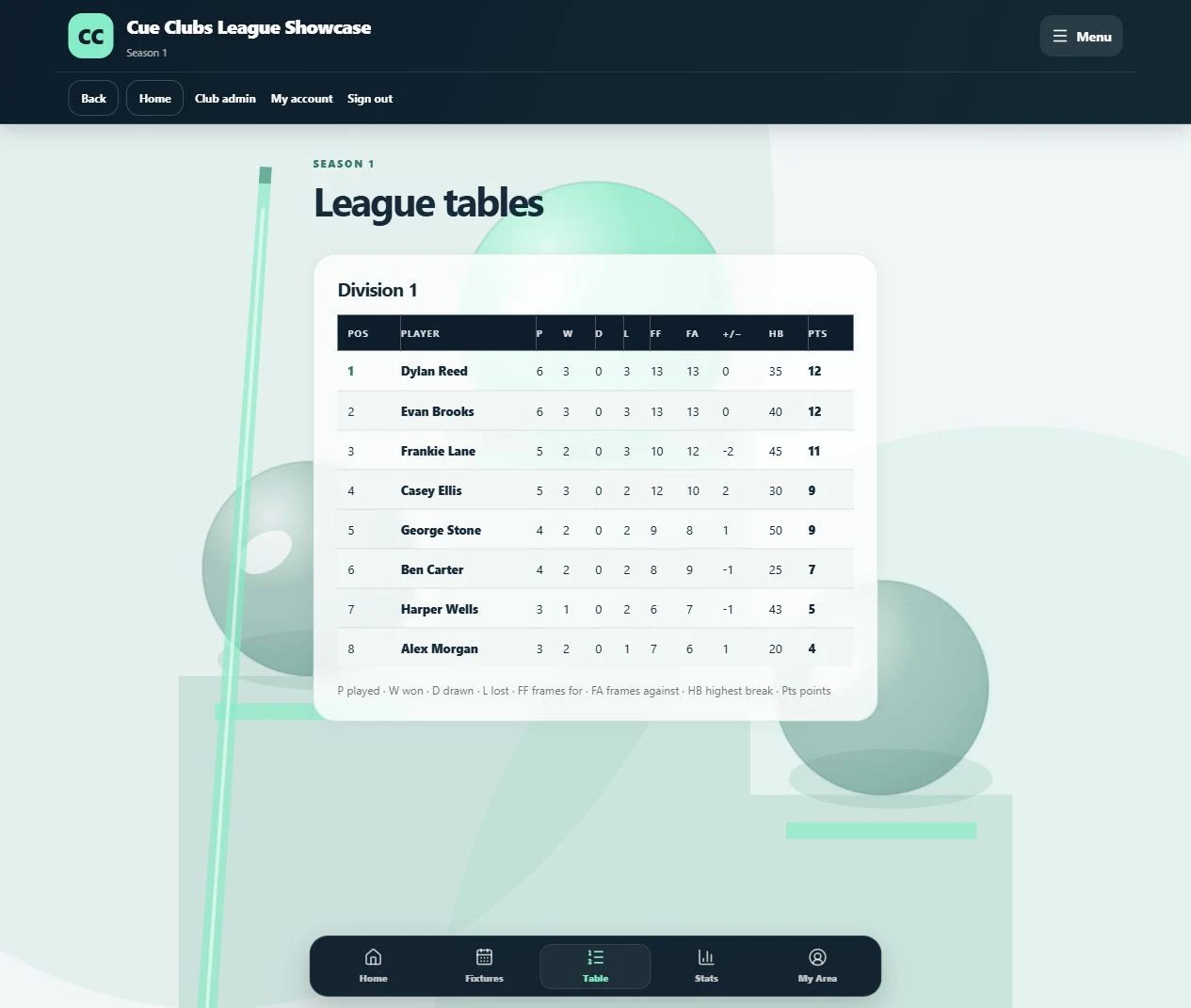
League standings
Approved match results feed the division table, with match records, frame difference, highest breaks and points.
View full screenshot (opens in a new tab)The player experience
See where this leads.
Actual Cue Clubs screens with fictional example club data. Open any image to view the full screenshot.
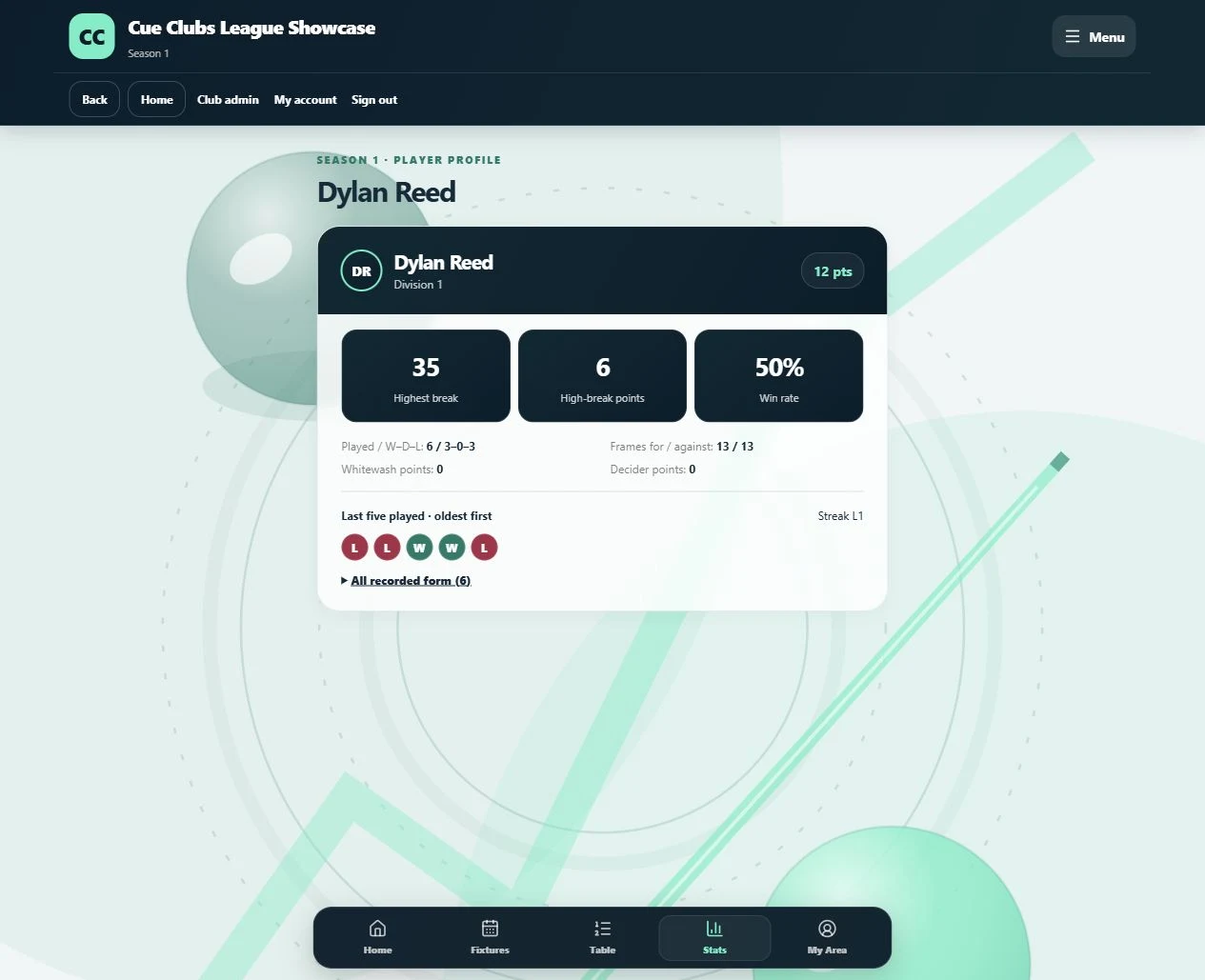
Player statistics and recent form
Open a player profile to see wins, losses, break points and their last five played matches.
View full screenshot (opens in a new tab)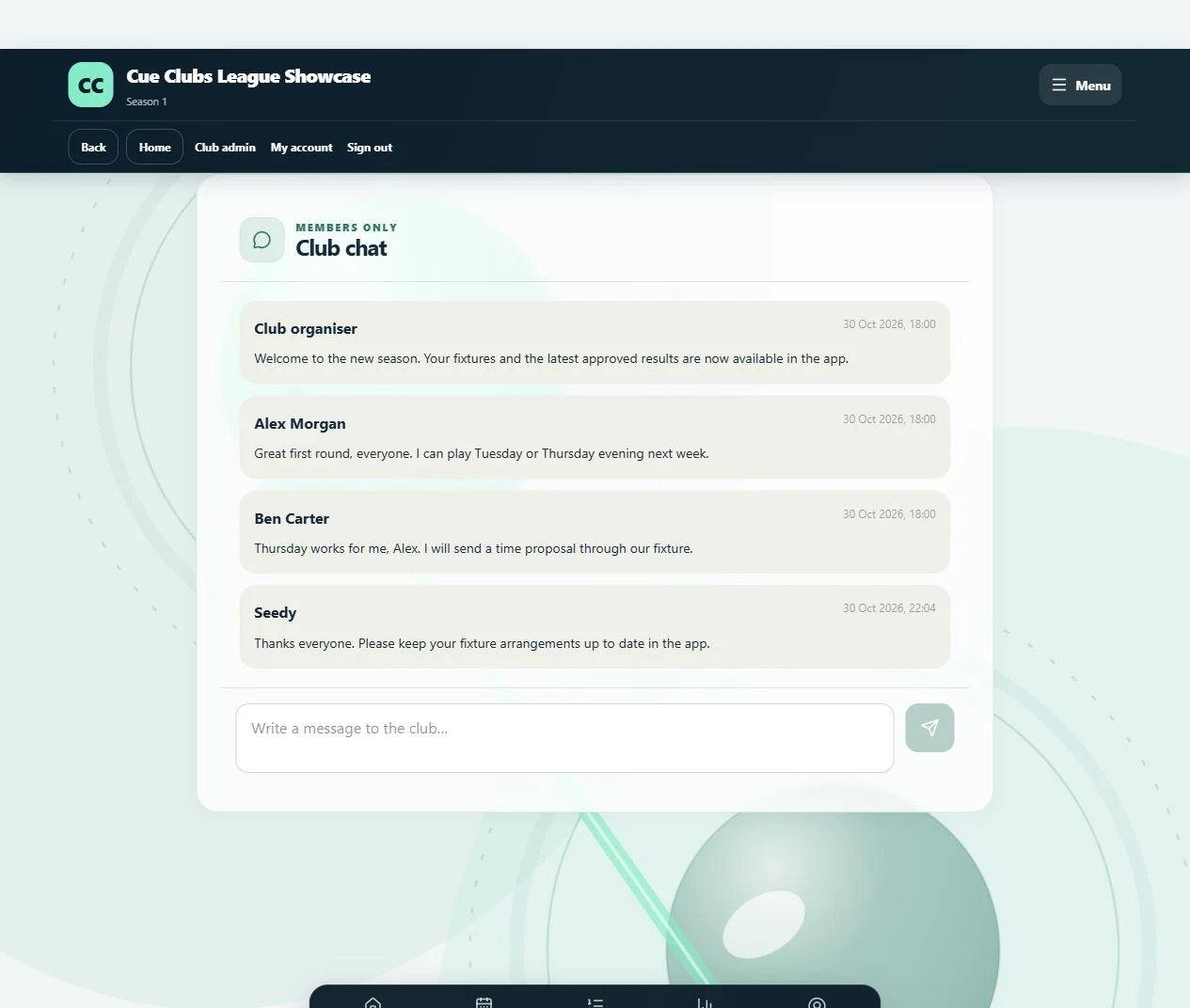
The club conversation
Club updates and match arrangements stay together in a members-only conversation.
View full screenshot (opens in a new tab)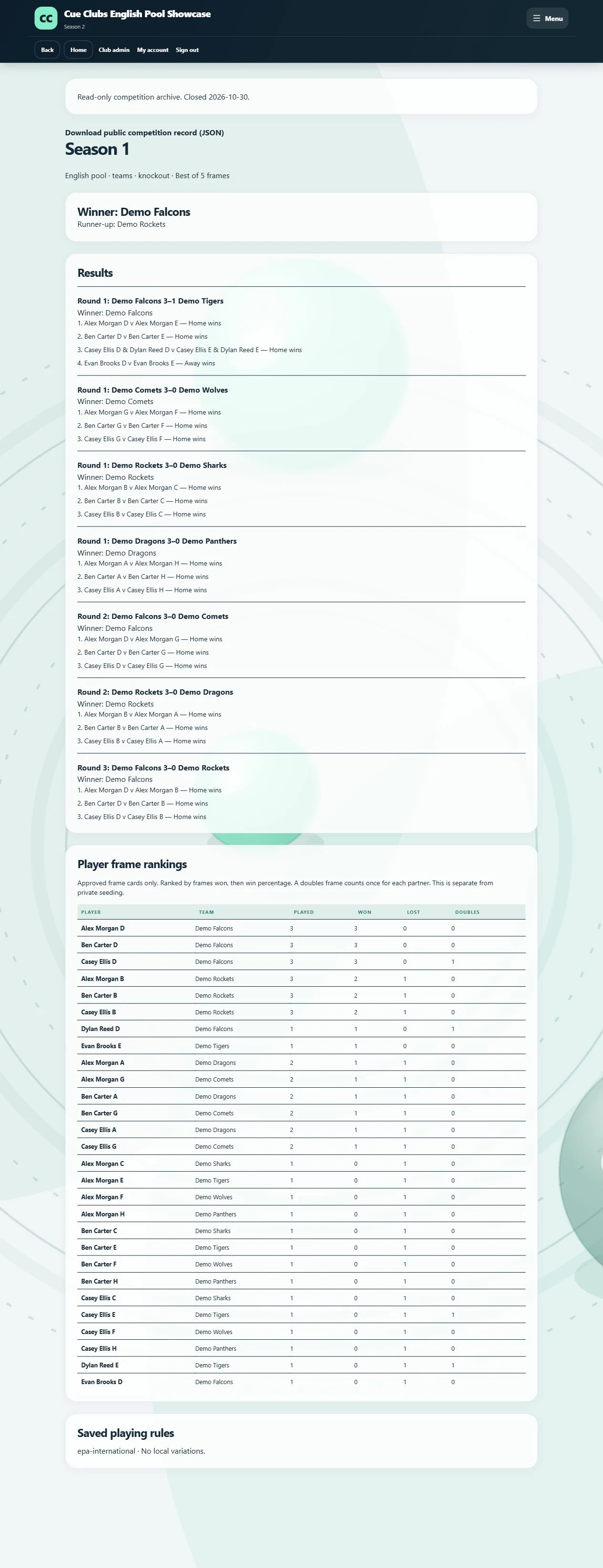
A completed season, preserved
Revisit the saved winner, runner-up, approved results, frame cards and playing rules after a competition closes.
View full screenshot (opens in a new tab)