
How it works · Step 1 of 5
Create the club
Start with a club that feels like yours. The shared builder supports snooker, English pool and American pool, with your identity carried into the player app.
What happens in this step
Choose your game and competition
Select the sport first, then choose a league or knockout. The options offered later follow that choice, including singles and supported team competitions.
Add your club identity
Enter the club name and venue, choose colours and an appearance, then add a badge if you have one. The included club address is generated from the name.
See it before you launch
The player app preview updates as you build. Save your draft and return later, or confirm the club to continue in admin. Creating the club keeps it private until you choose to launch.
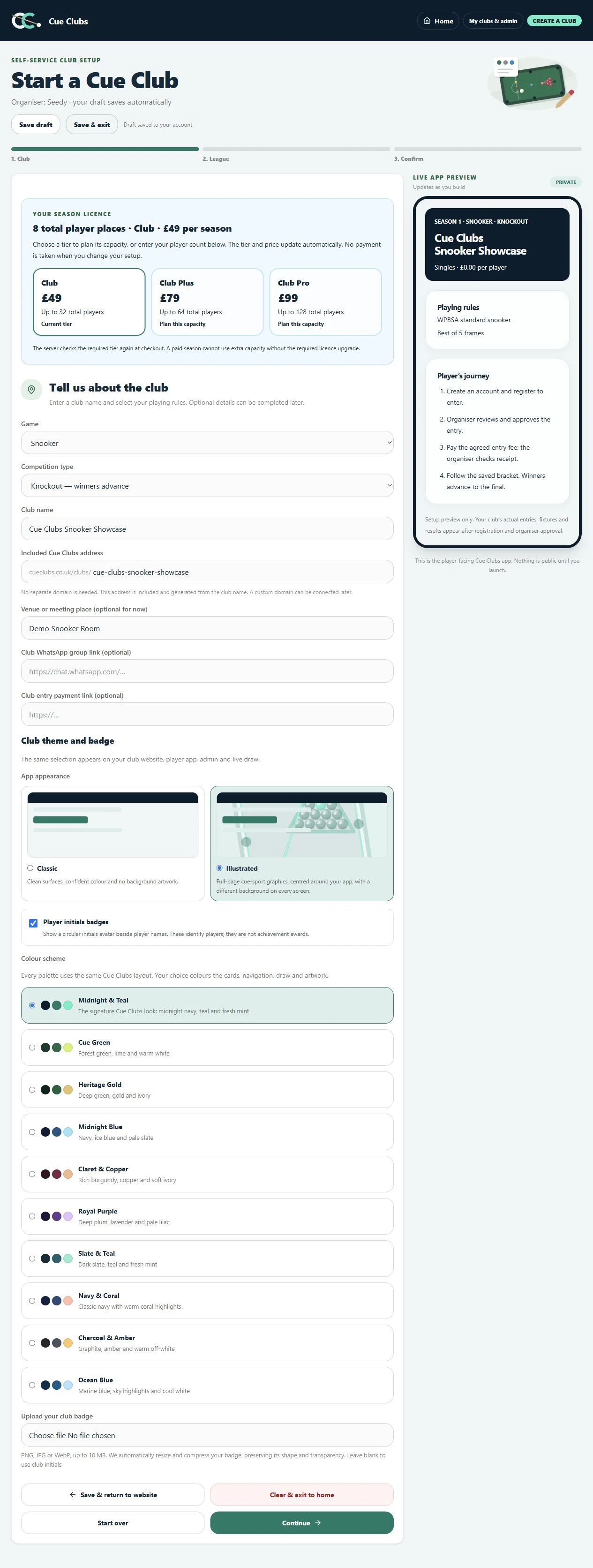
Create a snooker club
Choose the club identity, sport and knockout format while previewing the player app.
View full screenshot (opens in a new tab)The player experience
See where this leads.
Actual Cue Clubs screens with fictional example club data. Open any image to view the full screenshot.
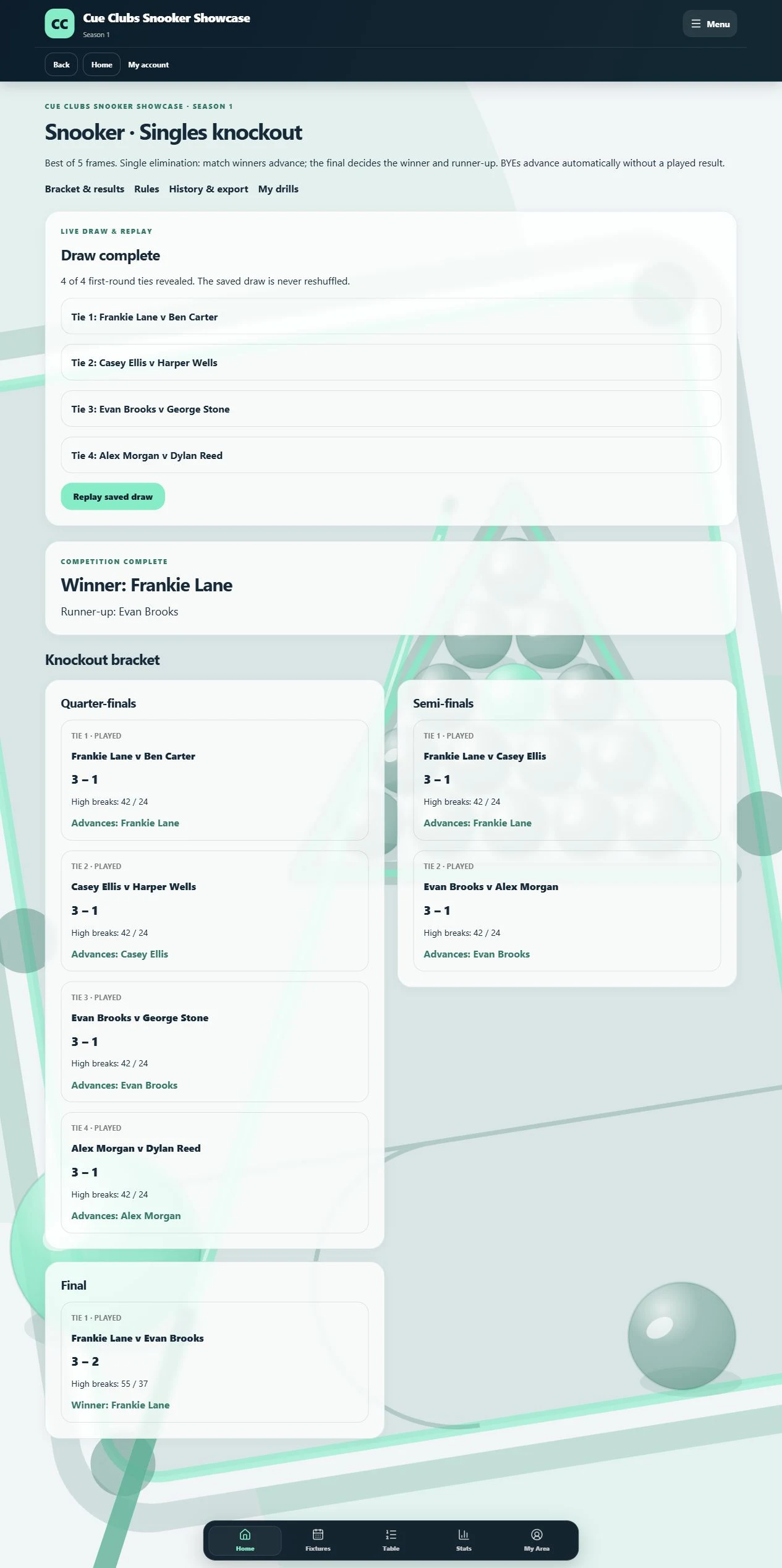
Snooker singles knockout
The saved draw, approved results and competition winner together in the snooker app.
View full screenshot (opens in a new tab)