
The complete journey
From an idea to a live league.
Five steps take your club from setup to its final season record. Open a card for the practical details and real app screenshots.
- Step 1
Create the club
Choose your game, give the club its identity and preview the player app.
Explore this step - Step 2
Configure the league
Set the playing rules, format, scoring and season options before opening entries.
Explore this step - Step 3
Register the players
Share the club link, collect entries and review players or team captains.
Explore this step - Step 4
Run the live draw
Review the field, reveal the saved draw and give players their fixtures or bracket.
Explore this step - Step 5
Manage the season
Arrange matches, approve scores, follow form and preserve the final record.
Explore this step
Inside the app
From club setup to the final result.
These captures use isolated example clubs. Each step above explains what the organiser and players do along the way.
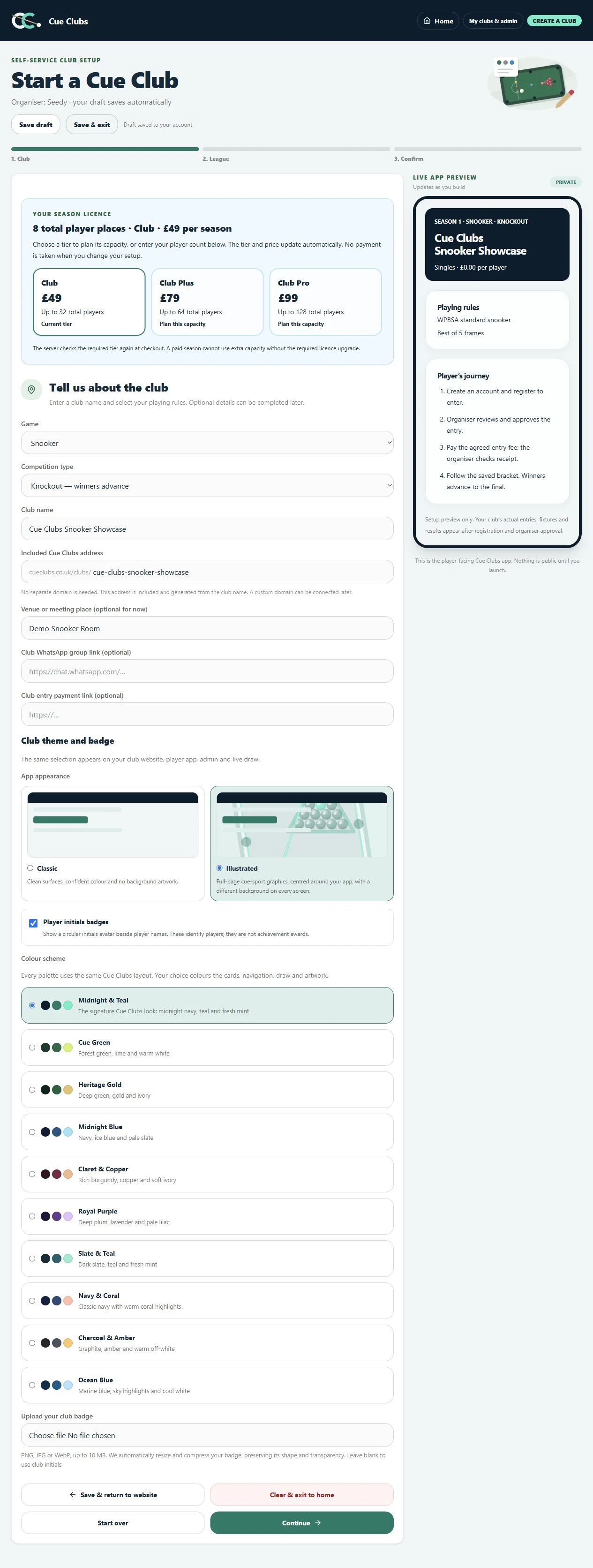
Create a snooker club
Choose the club identity, sport and knockout format while previewing the player app.
View full screenshot (opens in a new tab)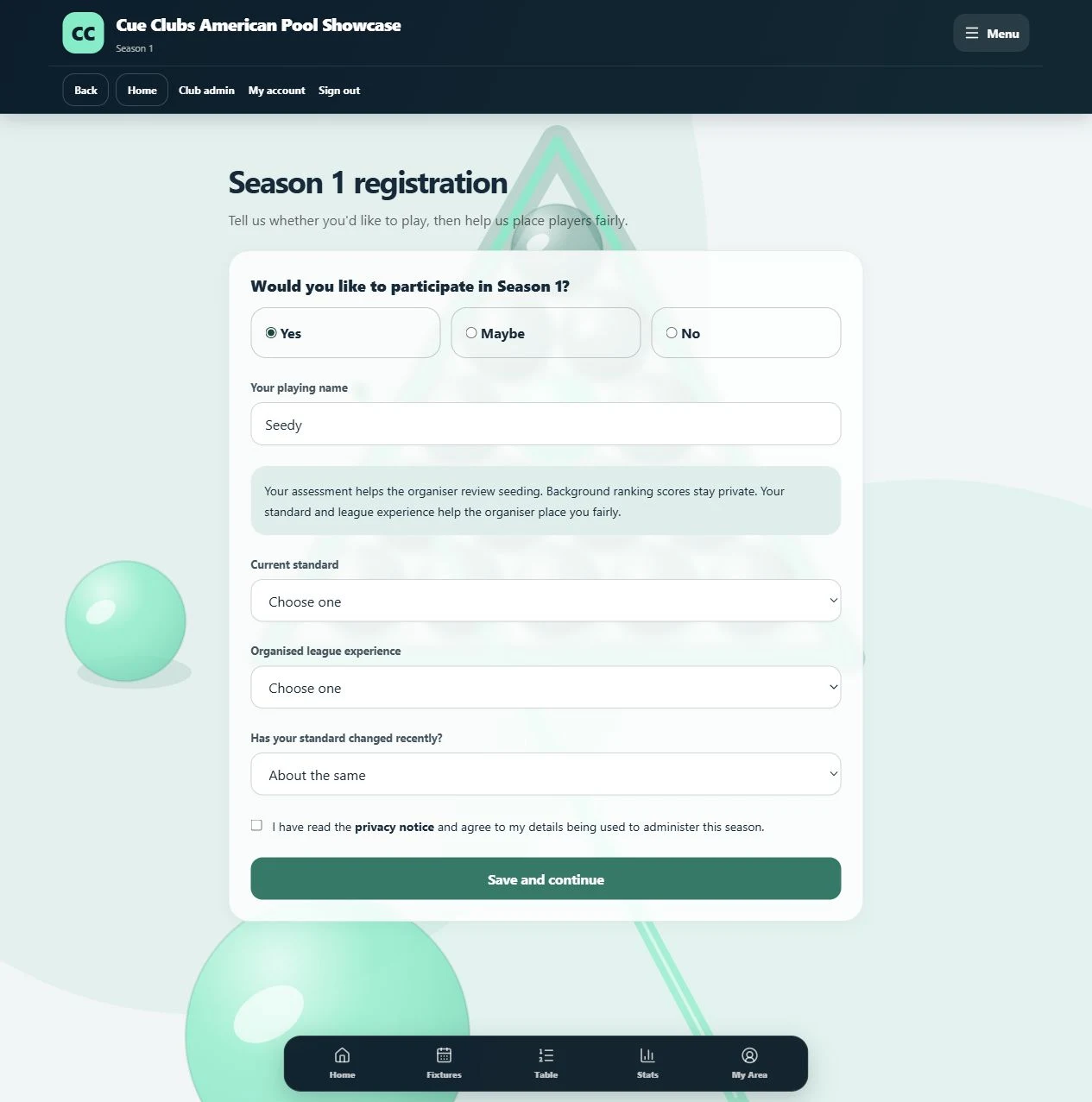
Player registration
Players enter a playing name and experience details for the organiser to review.
View full screenshot (opens in a new tab)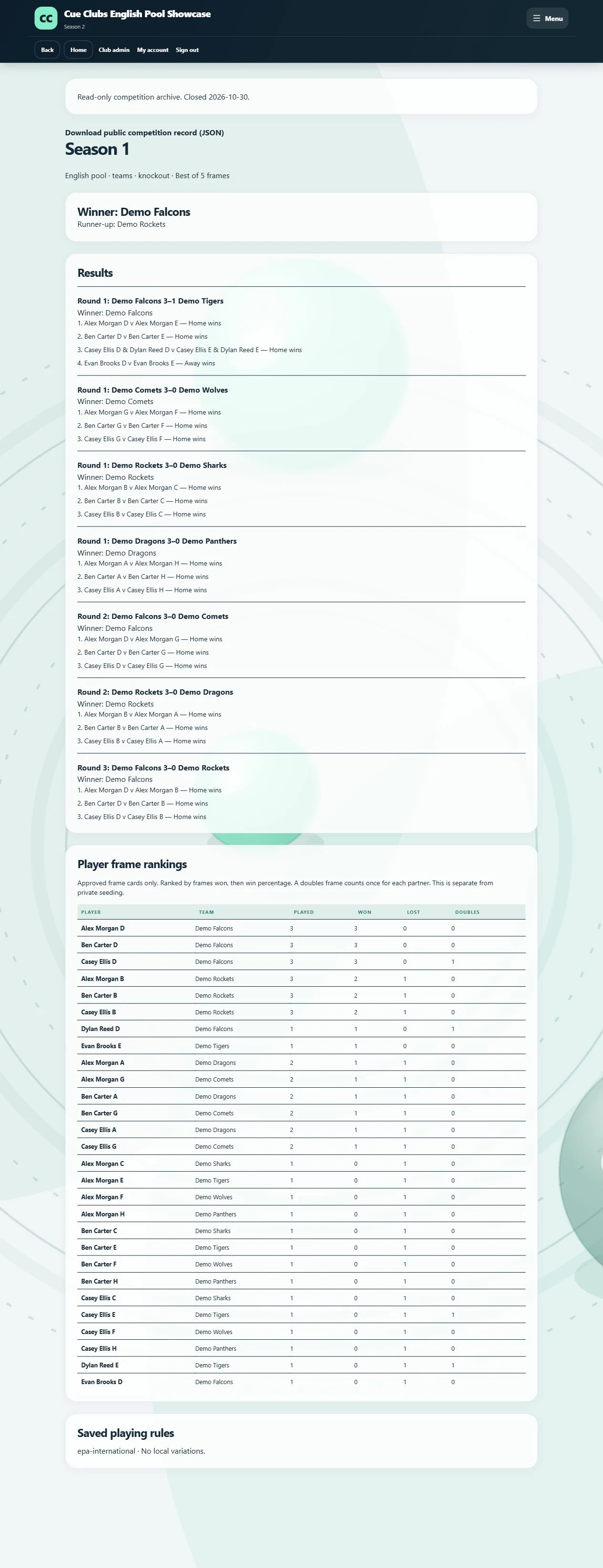
A completed season, preserved
Revisit the saved winner, runner-up, approved results, frame cards and playing rules after a competition closes.
View full screenshot (opens in a new tab)